Nautical Seamless Patterns Background: A Practical Guide for Designers, Marketers, and Creators
A nautical seamless patterns background is more than a decorative asset—it is a reusable design foundation built from maritime-inspired motifs repeated without visible edges. Whether you are a freelance graphic designer preparing a branding kit, a small business owner planning seasonal packaging, or a content creator building a cohesive social media theme, understanding how to source, prepare, and apply these patterns can save time and improve consistency across projects.
This article explains what a nautical seamless patterns background offers, where it fits into common creative and business workflows, and how to integrate it effectively into your own process. The focus is on practical execution, not abstract inspiration.
What a Nautical Seamless Patterns Background Actually Is
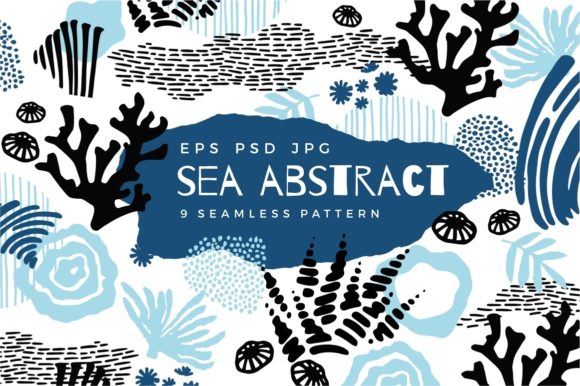
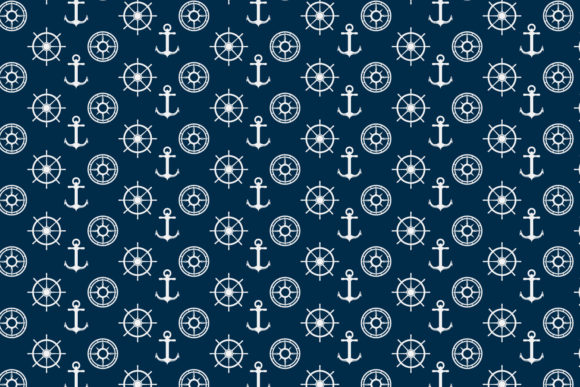
At its core, a nautical seamless patterns background is a repeating design element built from marine, sea, or sailing-related imagery. These patterns typically include anchors, sails, ships, sailboats, fish, waves, ropes, compasses, and geometric motifs drawn in styles ranging from vintage engraving to cute cartoon and clean vector illustration. The word seamless means the pattern tiles perfectly—left edge matches right edge, top matches bottom—so you can fill any surface without awkward cuts or visible repeats.
The format is almost always vector (SVG, AI, EPS) or high-resolution raster (PNG, JPG) intended for use as wallpaper, textile print, paper decoration, fabric design, or digital background. Color palettes lean heavily on blue, navy, ocean tones, and summer whites, with occasional accents in red, gold, or teal.
Because these patterns are abstract enough to be decorative yet specific enough to convey a theme—travel, vacation, marine life, vintage sailor style—they work across multiple contexts without clashing with other design elements.
Where This Asset Fits Into Your Workflow
A nautical seamless patterns background is not a standalone product. It is a resource you integrate at a specific stage of a larger process. Understanding where that stage falls helps you plan ahead and avoid rework.
Before a Project: Planning and Mood Building
If you are starting a branding project for a coastal resort, a nautical-themed product line, or a maritime event, selecting a seamless pattern early helps define the visual direction. Rather than sketching from scratch, you can review pattern libraries to identify the style—vintage, cartoon, geometric, sketch—that aligns with your client’s audience. This saves time during mood boarding and gives you a repeatable element to test against logos, typography, and color schemes.
For example, an entrepreneur launching a line of beachwear can choose a blue-and-white striped nautical seamless pattern with anchor and wave motifs, then use that pattern as a reference for fabric selection, packaging design, and website backgrounds. The pattern becomes a consistency anchor across all touchpoints.
During a Project: Production and Iteration
Once the project is underway, the pattern moves from inspiration to implementation. Here, the seamless quality matters most. If you are building a website for a sailing charter company, you can drop the pattern into a hero section background, a newsletter header, or a product detail page without worrying about visible seams. Because it is a vector file, you can scale it infinitely without loss—ideal for responsive layouts.
Graphic designers working in print—such as creating nautical-themed wrapping paper, notebook covers, or textile samples—can import the pattern into software like Adobe Illustrator or Affinity Designer and adjust scale, rotation, or color overlay without breaking the seamless tiling. This keeps production efficient and reduces last-minute fixes.
After a Project: Asset Libraries and Reusability
A well-organized library of nautical seamless patterns backgrounds is a long-term resource. After completing one project, you can archive the pattern file with metadata—tags like sailboat, ocean, blue, vintage—so it is searchable for future work. If you are a freelancer or small agency, this reduces the time spent sourcing new assets for every marine-themed client.
For hobbyists and educators, a pattern used in a classroom presentation about ocean life can be repurposed later for a summer camp flyer or a personal travel scrapbook. The asset retains its value across multiple uses if you store it in a logical folder system and maintain the original vector file.
Practical Use Cases Across Roles
The value of a nautical seamless patterns background depends on who is using it and for what purpose. Below are common scenarios organized by audience.
For Graphic Designers and Illustrators
If you work with branding, packaging, or editorial design, a seamless pattern is a time-saving building block. Instead of drawing a custom wave motif from scratch for each project, you can start with a pre-made nautical pattern and modify it—change colors, add texture, overlay text—to match the brief. This is especially useful when you need to produce multiple mockups for client approval quickly.
Tip: Choose patterns that use separate vector layers. That way you can edit the anchor, fish, or sailboat individually without breaking the pattern geometry.
For Small Business Owners and Entrepreneurs
If you run a business with a coastal theme—a beachside café, a sailing school, or a travel blog—consistent visuals build recognition. Using a nautical seamless patterns background on your website background, product packaging, and printed menus creates a unified brand experience. You do not need design skills to apply it; most website builders and print-on-demand services accept pattern files directly.
Practical consideration: Test the pattern on different backgrounds. A navy pattern may look strong on a white screen but overwhelm a business card. Scale down the pattern size or lower opacity for smaller formats.
For Educators and Content Creators
Teachers preparing classroom materials about the ocean, ships, or marine life can use nautical seamless patterns as presentation backgrounds, worksheet borders, or bulletin board decorations. The seamless repeat ensures that printed handouts look professional without awkward edges.
Content creators on platforms like YouTube or Instagram can use these patterns as video backgrounds, thumbnail frames, or channel art. The abstract, decorative nature keeps the focus on the content while reinforcing a travel or nautical theme.
For Marketers and Publishers
A travel magazine creating a spread about summer cruises can apply a subtle nautical seamless pattern as a full-page background behind text or pull quotes. In email marketing, a pattern used in the header can increase click-through rates by reinforcing the campaign theme—provided it loads quickly and is mobile-responsive.
Check resolution: For print, use vector files or high-DPI raster images (300 DPI minimum). For digital, 72 DPI is sufficient, but test the pattern on a phone screen to ensure it does not appear pixelated.
Integrating With Other Tools and Platforms
A nautical seamless patterns background rarely works alone. It interacts with design software, print production methods, and digital platforms. Understanding these interactions helps you avoid compatibility issues.
- Design software: Adobe Illustrator, Photoshop, Affinity Designer, Canva, and Procreate all support pattern imports. Vector patterns scale cleanly; raster patterns require careful resolution matching. If you use Canva, upload the pattern as an element and adjust tiling using the repeat function if available.
- Print-on-demand services: Platforms like Printful, Redbubble, and Society6 accept pattern files for fabric, wallpaper, and home decor. Follow their file specifications—usually PDF or PNG with at least 150 DPI and specific color profiles (sRGB for digital, CMYK for print).
- Web builders: WordPress, Squarespace, Shopify, and Wix allow background pattern uploads via CSS or theme settings. For best performance, export the pattern as a small, optimized SVG file. If using a PNG, compress it with tools like TinyPNG to avoid slow load times.
- Video editing: In tools like Premiere Pro, DaVinci Resolve, or Final Cut Pro, you can import the pattern as a still image or create a motion background by scaling it over time. Keep the pattern resolution high enough to avoid softening when zoomed.
Implementation Tips for Smooth Integration
Getting the most out of a nautical seamless patterns background requires attention to a few practical factors. These are not hypothetical best practices—they come from real project experience.
Preparation and File Management
Before you download or purchase a pattern, confirm the file format matches your workflow. Vector files (SVG, AI, EPS) are best for scalability and editing. Raster files (PNG, JPG) work for quick use but limit flexibility. Create a folder structure by theme—nautical/anchor, nautical/wave, nautical/vintage—and include a text file with attribution or license notes if sourced from a marketplace like Creative Market or Shutterstock.
Color and Consistency
Most nautical patterns use blue, navy, white, and ocean tones. If your brand uses a different accent color, you can recolor the pattern in Illustrator or Canva, but test the result at multiple sizes. A gold anchor on a navy background may look elegant on a poster but become muddy on a small business card. Maintain at least 70% contrast between pattern elements and the base background.
Scale and Density
A pattern that looks balanced on a 24-inch monitor may appear chaotic on a mobile screen or oversized on a product label. Adjust the scaling during implementation: for wallpaper, a larger repeat looks smooth; for fabric or paper, a smaller repeat works better. Most design tools let you preview the pattern at different scales before committing.
Quality Control Before Output
Always export a test tile at the intended resolution and open it in a browser or print preview. Check for visible seams, color banding, or alignment errors. If the pattern came from a third-party seller, verify that the file is truly seamless—some sellers market patterns as seamless when they are actually tilable only at certain sizes. Run a quick test by duplicating the tile in Photoshop and letting it fill a large canvas.
Long-Term Maintenance
If you reuse patterns across multiple projects, keep the original vector file unchanged and create copies for each project. That way, if a client requests a color change later, you can return to the source file rather than rebuilding the pattern from a flattened raster image. Document the color mode (CMYK for print, RGB for screen) in your project notes.
Useful Observations From Real Use
After working with nautical seamless patterns across print, digital, and product design, a few patterns emerge that are worth noting.
First, patterns with geometric elements—anchors in repeated rows, compass rose grids, striped wave lines—tend to work better for professional branding because they read as structured and deliberate. Hand-drawn or sketch-style patterns work better for editorial, educational, or casual uses where a personal touch matters.
Second, the most versatile nautical seamless patterns are those that include a mix of large and small motifs. A pattern with only large sailboats will look repetitive when scaled down, while a pattern with tiny starfish and shells alone may lack visual impact. Balanced compositions give you more room to adjust scale without losing the theme.
Third, if you are creating your own nautical seamless pattern from scratch, start by designing a single tile that includes elements placed at different distances from the edges. Use software guides to ensure that objects crossing the edge have a matching counterpart on the opposite side. This is the most common failure point for handmade patterns.
Finally, consider the audience. A cute cartoon fish pattern may be perfect for a children's book but inappropriate for a luxury yacht brand. Match the illustration style—vintage, geometric, sketch, cartoon, abstract—to the tone of the project. A single pattern can define how your audience perceives the entire piece, so choose intentionally.
A nautical seamless patterns background is not a shortcut; it is a strategic asset. Used correctly, it speeds up production, enforces brand consistency, and provides a reusable foundation for multiple projects. Whether you are designing a website, printing fabric, or preparing classroom materials, the key is knowing how to integrate it before, during, and after the work. Focus on file preparation, scale testing, and color alignment, and you will be able to deploy these patterns with confidence across any medium.